
Article
Canvas Templates that Integrate Inclusive Course Design Principles
Published August 11, 2026 | Revised August 18, 2026



To help you make more substantial revisions to your Canvas course to integrate principles of transparency, belonging, and accessibility, the Center for Teaching Excellence at UVA has developed five ready-to-use templates.
There are three types of templates available: weekly overview templates, specific class schedule templates and a template specific for an online course. Two of the three templates Canvas Pages as their foundation and include a formatted home page along with 14 weekly pages that vary in the format and level of detail. The Online Template utilizes pages and modules. These templates align with principles of inclusive course design.. For example, each template:
- promotes transparency by using the Canvas homepage as a central landing page where students can navigate the rest of the course. Each of the 14 weekly pages are consistently formatted to aid students’ understanding of course expectations.
- includes places for instructors to support students’ sense of belonging, such as a ‘tips for success’ section and a place to share more about yourself as an instructor.
- attends to accessibility, including alt image text, descriptive hyperlinks, and use of headers.
Below we summarize each template type and provide recommendations for when you might want to use one template over another.
Template Type 1: Weekly Overview
The Weekly Overview templated courses are structured around the content covered and the assignment due each week. This format allows instructors to consolidate all learning materials, assignments, and assessments onto a single page, facilitating straight-forward navigation for students. These templates work well for structuring your course around topics as well.
Both Weekly Overview templates have a similar number of pages, differing only in layout and color scheme. They include the following pages you can import into your course:
- Homepage
- Course information & Introduction to Course
- Course Syllabus
- Assessment Type & Grading
- Tips for Success
- Weekly pages (14 weeks)
- Weekly Overview
- Weekly Objectives (“Weekly Overview Template” only)
- Reminders
- Introduction to topic (“Weekly Overview Template” only)
- Reading/Videos/Podcasts (“Weekly Overview Template” only)
- Assignments
- In-Class Materials (“Weekly Overview Template 2” only)
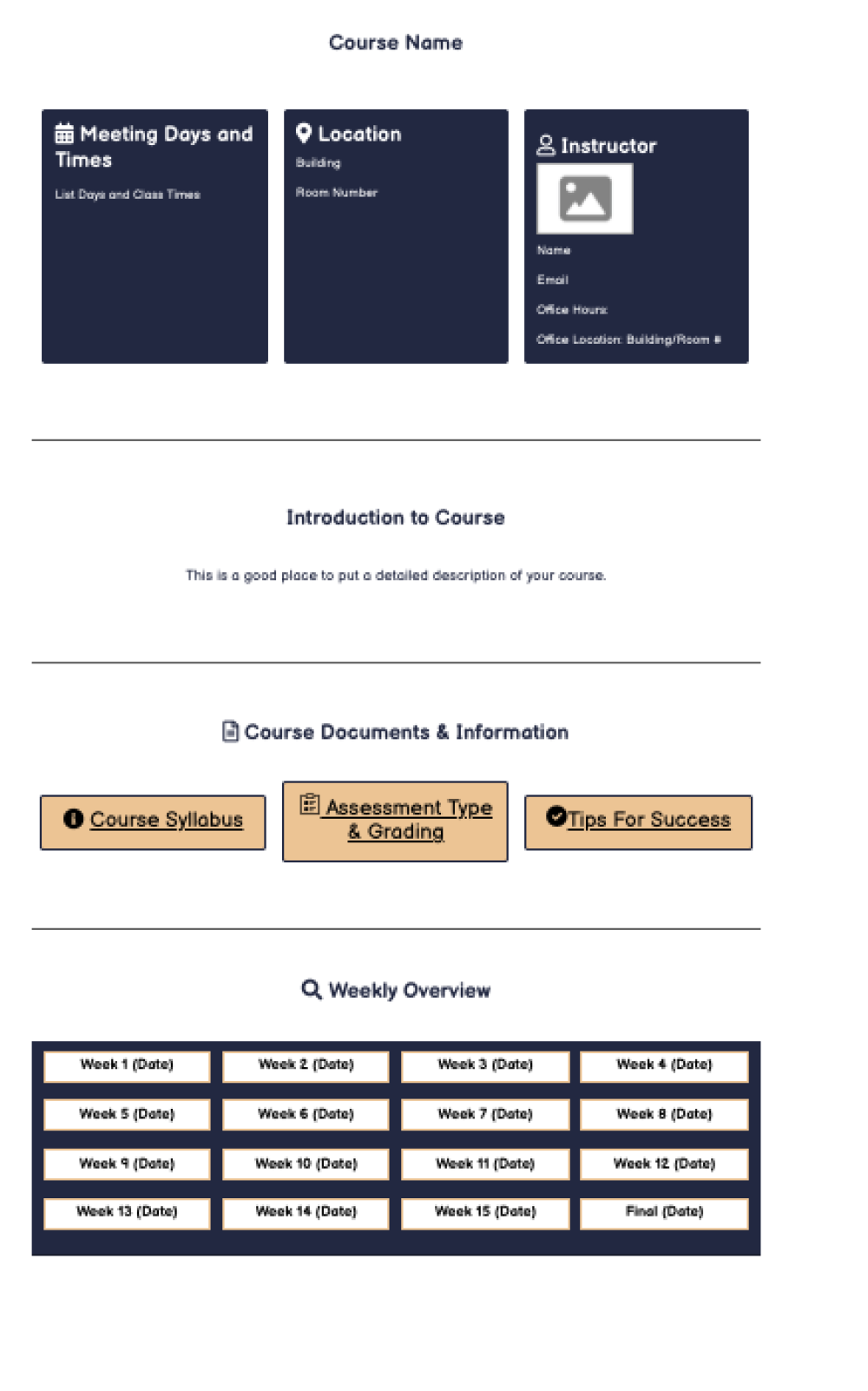
Weekly Overview Template
This Weekly Overview homepage template features a highly detailed weekly overview page, making it ideal for instructors who prefer to provide extensive details and have specific objectives for each week. This layout has been successfully used by other UVA faculty for asynchronous online courses.
Click on the link below to preview the template. Click on "Pages" and "VIEW TEMPLATE: Homepage" or "VIEW TEMPLATE: Weekly Landing Page" to see what the template looks like.
Weekly Overview Template 2
This Weekly Overview template features a more simplistic design than the previous one, having fewer details on the weekly overview page. It is ideal for instructors who prefer broader course information without breaking down objectives and topics by week.
Click on the link below to preview the template. Click on "Pages" and "VIEW TEMPLATE: Homepage" or "VIEW TEMPLATE: Weekly Landing Page" to see what the template looks like.
Template Type 2: Specific Class Schedules
The Specific Class Schedule templates are formatted so instructors can organize the course based on the frequency of weekly meetings each week. In this format, instructors can communicate to students what needs to be completed before, during, and after each class period.
There are three course templates using the schedule format:
- Class Once-a-Week Template 1
- Class Twice-a-Week Template 1
- Class Three-Times-a-Week Template 1
These templates are ideal for instructors who want to set clear expectations for students regarding pre-class preparation and post-class activities. The three templates share a similar design, with variations in the weekly overview page depending on the number of weekly meetings. All three templates include the following pages you can import into your course:
- Homepage
- Course information & Introduction to course
- Required Texts
- Assessment types & grading
- Weekly schedule
- Tips for success
- Weekly pages (14 weeks)
- Topic
- Before, during, & after class for each day
- Upcoming
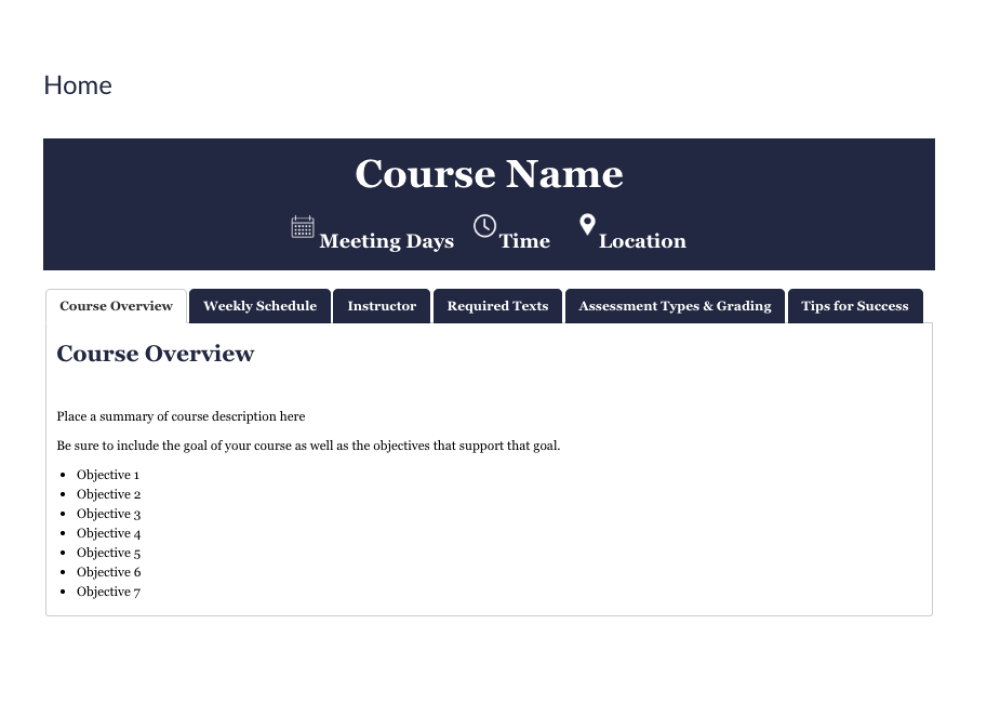
Class Once a Week Template
This template is meant for courses that meets once a week. It provides a consistent structure for organizing course information and weekly learning activities. The homepage introduces key course expectations and resources, while weekly pages organize learning around Before Class, During Class, and After Class activities. The structure is designed to help students understand what to expect, prepare for class, and navigate course materials more easily.
Click on the link below to preview the template. Click on "Pages" and "VIEW TEMPLATE: Homepage" or "VIEW TEMPLATE: Weekly Landing Page" to see what the template looks like.
Class Twice a Week Template
This template is meant for courses that meets twice a week. It provides a consistent structure for organizing course information and weekly learning activities. The homepage introduces key course expectations and resources, while weekly pages organize learning around Before Class, During Class, and After Class activities. The structure is designed to help students understand what to expect, prepare for class, and navigate course materials more easily.
Click on the link below to preview the template. Click on "Pages" and "VIEW TEMPLATE: Homepage" or "VIEW TEMPLATE: Weekly Landing Page" to see what the template looks like.
Class Three Times a Week Template
This template is meant for courses that meets three times a week. It provides a consistent structure for organizing course information and weekly learning activities. The homepage introduces key course expectations and resources, while weekly pages organize learning around Before Class, During Class, and After Class activities. The structure is designed to help students understand what to expect, prepare for class, and navigate course materials more easily.
Click on the link below to preview the template. Click on "Pages" and "VIEW TEMPLATE: Homepage" or "VIEW TEMPLATE: Weekly Landing Page" to see what the template looks like.
Template Type 3: Online Course Template
The Online Course Template is designed to help instructors organize fully online courses around a consistent weekly structure. Since students may be working through course activities at different times, the template uses Canvas Modules and weekly overview pages to provide a clear path through course content, learning materials, discussions, and assignments.
This template is useful for instructors who want to provide predictable navigation and clear weekly expectations while helping students understand what to learn and complete as they progress through an online course.
The template includes:
- Homepage
- Welcome and instructor information
- Course navigation guidance
- Course questions/Hallway Conversations
- Links to syllabus, learning modules, and student support
- Canvas Modules
- Organize course content and activities by week
- Provide a consistent sequence for moving through the course
- Weekly Overview pages
- Weekly overview and learning objectives
- Lectures and instructional materials
- Readings, videos, and podcasts
- Weekly discussions
- Weekly assignments
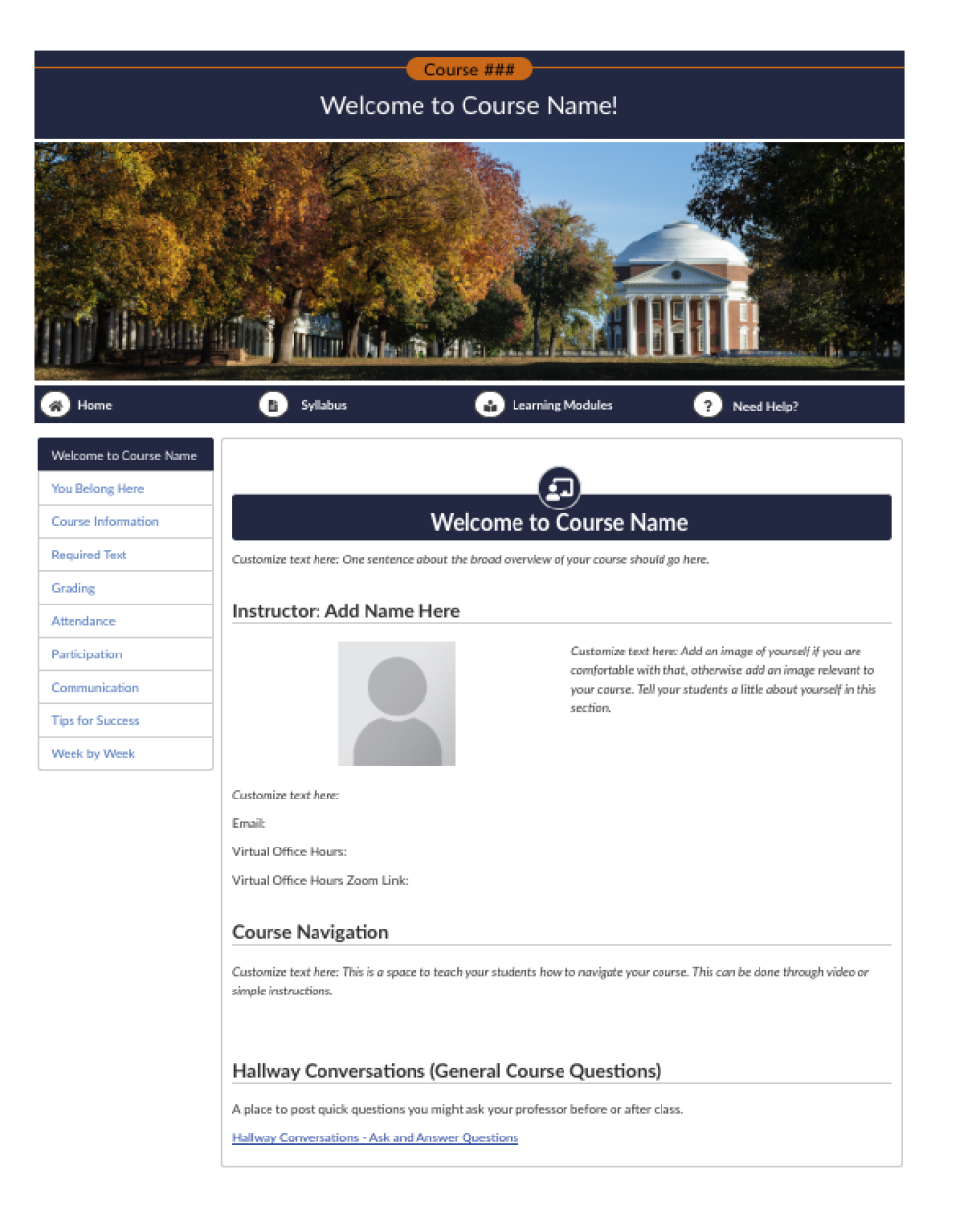
Online Course Template
Click on the link below to preview the template. Click on "Pages" and "VIEW TEMPLATE: Homepage" or "VIEW TEMPLATE: Weekly Landing Page" to see what the template looks like.
How do you choose a template?
Not sure which template is best for your course? Here’s an overview of the six templated courses.
Weekly Overview Templates
There are two Weekly Overview templates available.
Weekly Overview Template
Best for courses that need a detailed weekly overview.
- Breaks out weekly objectives and topics.
- Provides detailed information about what students can expect each week.
- Works well when you want to provide substantial weekly information but do not have specific before- and after-class assignments.
Weekly Overview Template 2
Best for courses that need a simpler weekly overview.
- Provides a broad overview of each week with less detail.
- Works well when you do not have specific weekly objectives or topics, or when you simply want to give students a general overview of the week.
Specific Class Schedule Templates
These templates are designed for courses with regularly scheduled class meetings.
Available templates:
- Class Once-a-Week Template
- Class Twice-a-Week Template
- Class Three-Times-a-Week Template
Choose the template that matches how often your class meets.
These templates:
- Clearly identify what students need to accomplish before and after class.
- Help students understand what they should be doing outside of class.
- Work well when you want course activities organized around individual class meetings.
Online Course Template
Best for courses taught fully online.
- Designed specifically for online courses.
- Incorporates modules into the course design.
- Works well if you use modules as part of your online course workflow.
Interested in getting started with one of these templates? Check out this Teaching Hub resource to get step-by-step instructions for importing a template into your Canvas course.
Not a UVA instructor? Don’t worry! These templates are available in Canvas Commons, a digital library available to any instructor who uses Canvas as their Learning Management system. Learn more about Canvas commons.